

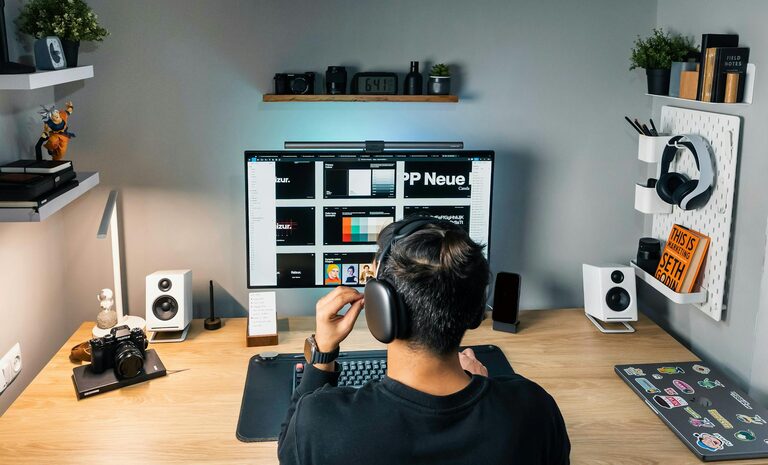
Setting up a home office that supports both productivity and comfort is essential in today’s work environment. Whether you work from home full-time or occasionally, having a dedicated, well-arranged workspace can improve focus, reduce stress, and increase efficiency. Below are practical tips to help you create a home office setup that works for you.
1. Choose the Right Location
Consider Natural Light and Quietness
Select a spot in your home with plenty of natural light. Sunlight can help improve mood and energy levels. Ideally, choose a quiet area where interruptions are minimal, allowing you to concentrate better.
Assess Available Space
Even a small corner can be turned into a productive workspace. Make sure the space is large enough to fit your desk, chair, and essential equipment comfortably.
2. Invest in Ergonomic Furniture
Ergonomic Chair
A comfortable chair is crucial. Look for one with adjustable height, good lumbar support, and comfortable cushioning to prevent back pain.
Desk Height and Space
Your desk should be at a height where your elbows are at a 90-degree angle when typing. Ensure enough surface area for your computer and other work materials.
3. Optimize Lighting
Use Multiple Light Sources
Combine natural light with ambient lighting and focused task lighting. A desk lamp with adjustable brightness can reduce eye strain during late-hours work.
Avoid Glare
Position your monitor perpendicular to windows to avoid glare, which can cause discomfort and reduce screen visibility.
4. Organize Your Workspace
Declutter Regularly
Keep only items you use daily on your desk. Clutter can distract and reduce productivity.
Use Storage Solutions
Shelves, drawers, and filing cabinets help keep documents and office supplies neatly organized and out of sight.
5. Set Up Technology Efficiently
Reliable Internet Connection
Ensure your home office has a strong, stable internet connection, critical for video calls and cloud work.
Essential Equipment
Invest in a good-quality monitor, keyboard, and mouse. Consider a second monitor if your work requires multitasking.
Cable Management
Use clips and ties to keep cables organized and prevent tangling or damage.
6. Personalize Your Space
Add Plants
Indoor plants can improve air quality and add a touch of nature, making your workspace more inviting.
Wall Art and Accessories
Decorate your space with items that inspire you, like artwork or motivational quotes, but avoid overcrowding the area.
7. Maintain a Comfortable Environment
Temperature Control
Keep your workspace at a comfortable temperature. A small fan or heater can help if your HVAC system doesn’t reach the area well.
Noise Management
Consider noise-canceling headphones if external sounds are distracting. Soft background music may help some people focus better.
8. Establish Boundaries and Routine
Define Work Hours
Having clear start and end times helps separate work from personal life, reducing burnout.
Create a Morning Routine
Begin your day with small habits like making coffee or reviewing your schedule to prepare mentally for work.
9. Take Breaks and Move
Schedule Breaks
Plan short breaks every hour to stand, stretch, or walk around. This improves circulation and refreshes your mind.
Use a Standing Desk Converter
If possible, alternate between sitting and standing to promote better posture and reduce fatigue.
—
Setting up an effective home office is about balancing comfort with productivity. By applying these tips, you can create a space that supports your work goals and well-being. Remember, your workspace should evolve with your needs, so periodically reassess and adjust your setup to maintain a positive and efficient environment.